Guide · Updated November 2026
How to isolate instruments from a song
The fastest way to learn a part from a recording is to hear it on its own. Instrument separation can now split a finished song into its instruments, so you can solo the guitar, mute the vocals, or take out your own part and play along.
Three ways to isolate an instrument
1. EQ
Boosting or cutting frequency ranges can bring an instrument forward. Boost around 60 Hz and the kick drum and bass get louder. It helps, but every instrument that shares those frequencies comes along with it.
2. Center channel tricks
Old karaoke tools cancel whatever is panned to the center of a stereo mix, which often removes the lead vocal. They only work when the mix happens to be built that way, and they usually take the bass and kick drum out too.
3. Instrument separation
Modern instrument separation recognizes what each instrument sounds like and pulls it out of a mixed recording. The result is a separate track for each part, often called a stem. This is the method SlowItDown uses, and it is the only one of the three that can give you the guitar on its own from a typical studio recording.
How to isolate an instrument with SlowItDown
- Open the song. Open an MP3, AAC, FLAC, WAV, or AIFF file, or paste a link to a song.
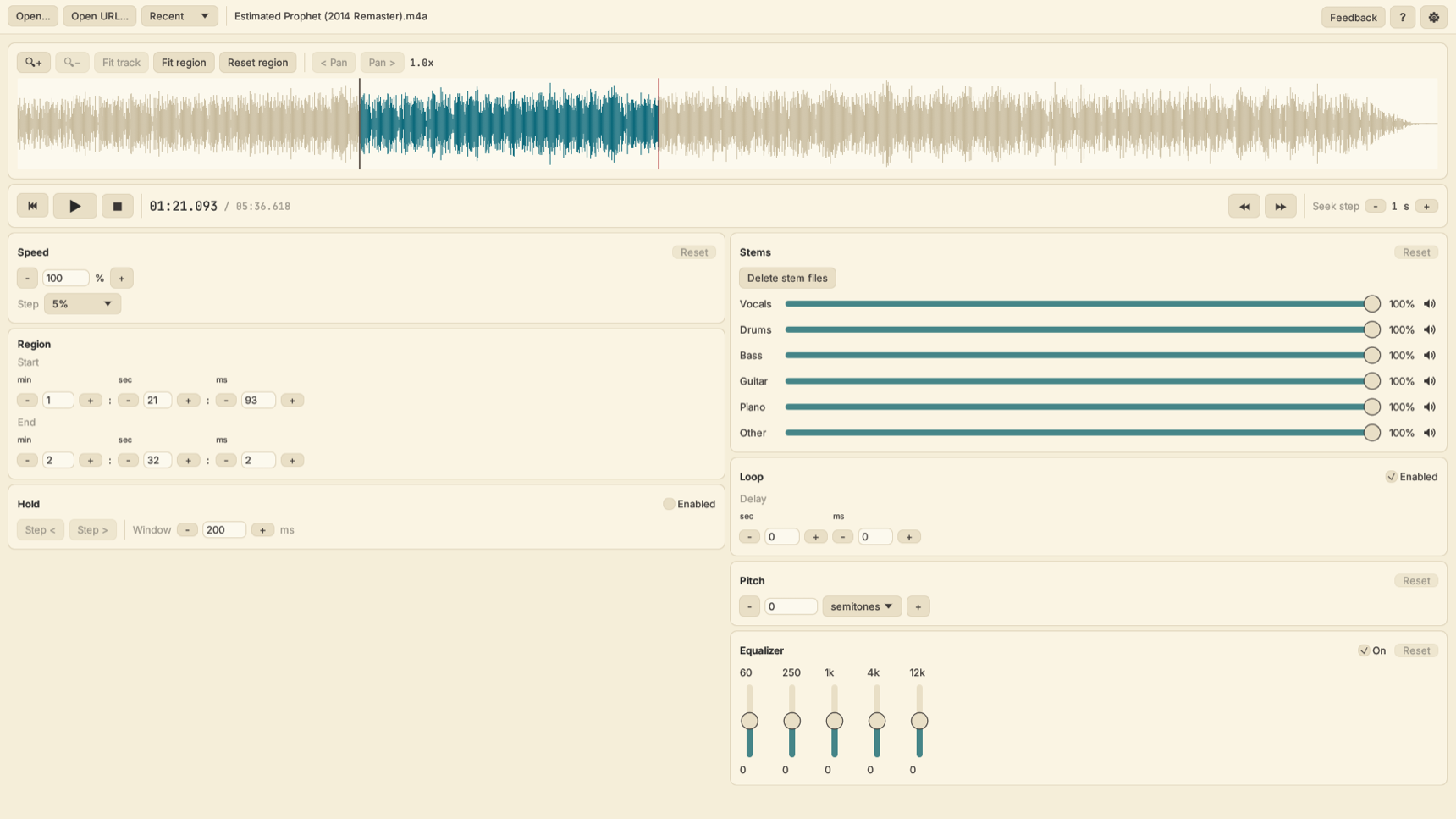
- Separate it. SlowItDown splits the song into six parts: vocals, drums, bass, guitar, piano, and other. Separation runs on your computer in the background, so you can keep practicing while it works. You can also turn on automatic separation when a song opens.
- Mix the parts. Each part has a volume slider and a mute button. Mute everything except the instrument you want to hear it alone, or turn the other parts down so you still have the band for reference.
- Loop and slow it down. Drag on the waveform to mark a section, turn on looping, and lower the speed. The pitch stays the same, so the isolated part still sounds right.
What you can do with an isolated instrument
- Transcribe a part. Hear every note of a solo or bass line without the rest of the band in the way. See the guides for guitar, bass, piano, and drums.
- Play along with the band. Mute your own instrument and play the part yourself with the original recording, or mute a part and make up your own.
- Remove or isolate vocals. Sing along without the lead singer, or learn a vocal line on its own. See the vocal remover guide.
Tips for cleaner results
- Start from good audio. Separation works best on clear, full quality recordings. Heavily compressed or very old recordings separate less cleanly.
- Expect a little bleed. Separation is very good but not perfect. You may hear faint traces of other instruments, especially in busy sections.
- Check the Other track. Instruments without their own track, such as horns, strings, organ, and synths, are grouped into Other.
- Stack the EQ. After separating, use the 5 band EQ to clean up what is left. For example, cut the low end on an isolated guitar to remove leftover bass.
- Use the volume sliders. Turning other parts down instead of muting them keeps your timing locked to the drums while the part you are learning stays in front.
Questions
What is the best way to isolate guitar from a recording?
Instrument separation. It splits a finished song into separate tracks for each instrument, so you can hear the guitar on its own. SlowItDown separates songs into vocals, drums, bass, guitar, piano, and other, then lets you loop and slow down the isolated guitar.
Which instruments can SlowItDown isolate?
SlowItDown separates a song into six parts: vocals, drums, bass, guitar, piano, and other. Instruments without their own part, such as horns, strings, and synths, are in other.
Does instrument separation need an internet connection?
Separation runs on your computer. The first separation runs a one time setup that downloads what it needs and can take several minutes. After that, separating a song happens on your machine.
Can I mute one instrument and keep the rest?
Yes. Each part has its own mute button and volume slider, so you can mute any combination. Mute your own instrument to play along with the rest of the band.
Try SlowItDown free for 7 days
Isolate instruments, loop any section, and slow it down, all in one desktop app for Mac, Windows, and Linux. $19.95 once or $1.99 a month after the trial.